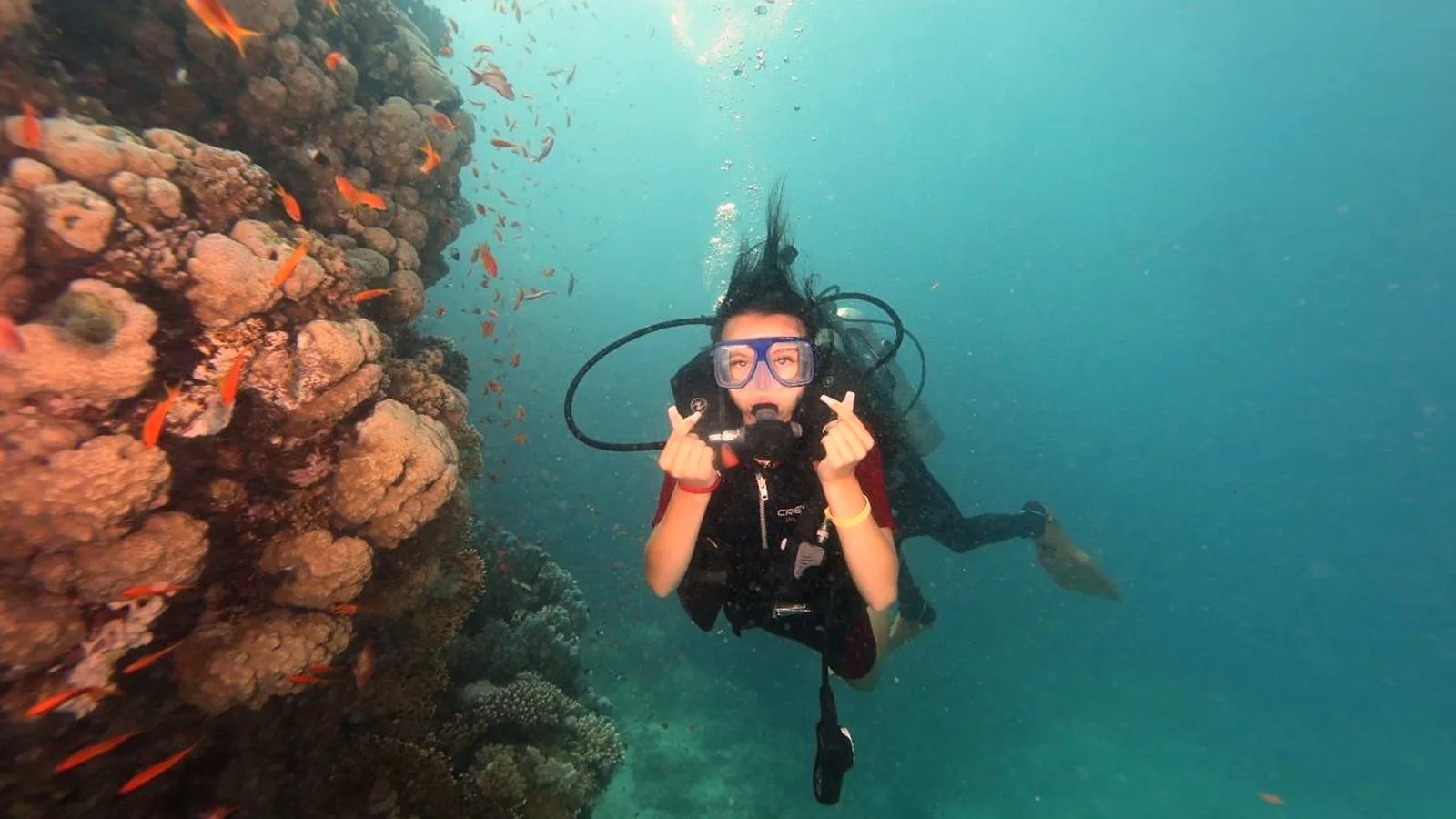
Somewhere between the elation of passing your Open Water course and the reality of planning a real dive trip, almost every new diver runs into the same question: do I need my own dive computer — and if so, which one? Walk into a dive shop or open a gear site and a wall of jargon walks straight back at you: algorithms, gradient factors, air integration, trimix, gauge mode — bolted onto price tags that vault from a couple of hundred to well past a thousand. It is remarkably easy to overspend on features you'll never touch, or to talk yourself into a technical-diving powerhouse for what is, honestly, a gentle reef holiday.
Here's the reassuring part: the computer a newly-certified diver actually needs is simpler — and cheaper — than the shelf suggests. This guide strips the jargon down to what matters. It explains, in plain English, what a dive computer really does on a dive, translates the features worth understanding, compares the three main styles, and gives honest 2026 price ranges — so your first computer becomes an easy, confident choice rather than an expensive guess.
What a dive computer actually does
Picture a small waterproof brain strapped to your wrist — or tucked into a gauge console, or styled like a chunky wristwatch. Every few seconds it takes two humble measurements, depth and elapsed time, and pours them into a decompression model: a piece of maths that estimates how much nitrogen is quietly dissolving into your body the deeper and longer you stay down. From that it answers the one question that governs every recreational dive — how much longer can I safely stay? — and keeps updating the answer as you move through the water.
While you dive, it performs several jobs at once:
- Tracks depth, time and nitrogen loading every few seconds, recalculating as you move up and down.
- Displays your no-decompression limit (NDL) — the single most important number on the screen (explained below).
- Monitors your ascent rate and warns you if you're rising too fast.
- Prompts a safety stop near the end of the dive.
- Logs the dive — depth, time, temperature and profile — so you can review it later.
One honest caveat before going any further: a dive computer manages risk, it does not erase it. Decompression sickness (DCS) is, in the words of the Divers Alert Network, "a probabilistic condition, in which injury risk increases with proximity to NDLs." Staying comfortably inside your computer's limits shrinks the odds dramatically — but no device can promise zero. The computer is a tool that sharpens good judgement, never a replacement for it.
The no-decompression limit (NDL), in plain English
Breathe compressed air — or nitrox — under pressure and your body soaks up nitrogen faster the deeper you go. Up to a point you can head straight for the surface with no penalty; past it, you owe the water a series of mandatory decompression stops before you're allowed up. The no-decompression limit is exactly that tipping point, written as a number of minutes: the most bottom time a given depth allows while you can still ascend directly to the surface without an anticipated risk of injury.
The clever part is that your computer works this out from the dive you're actually doing, not a worst-case guess. Drop to 25 metres to peer into a wreck, then drift the rest of the dive along a reef at 12 metres, and it hands back far more bottom time than a printed table ever would — because it's tracking your real profile, not assuming you sat at your deepest point the whole time. That figure ticking down on your wrist, minute by minute, is the single reason the device exists. And it cuts both ways: linger a minute too long at 30 metres and the friendly countdown can hit zero and change its tone entirely — now the screen flashes a mandatory stop and a "ceiling," a depth it won't let you rise above until you've off-gassed enough to be cleared upward. Stay well inside the limit and you'll simply never meet that screen, which is rather the point.
Ascent rate and safety stops
Rushing to the surface is one of the classic triggers for decompression trouble: shoot up too fast and the dissolved nitrogen has no time to leave your tissues gently. Recreational training agencies cap the ascent at around 18 metres (60 feet) per minute, and many now prefer slower — the U.S. Navy and NOAA both settled on 9 metres (30 feet) per minute, with agency guidance spanning 9 to 18. This isn't fussiness: research cited by DAN found that divers who ascended faster showed higher bubble grades afterwards. Here's where a computer quietly earns its keep — it watches your rate for you and starts flashing or beeping the instant you drift over the line, a genuinely useful nag at exactly the moment the sunlit surface is pulling you up too eagerly.
A safety stop — hanging at about 5 metres (15 feet) for at least three minutes before you surface — is standard recreational practice: a cheap insurance policy that gives nitrogen a final few minutes to off-gas. Your computer runs the countdown for you. After deeper dives, or when you've been flirting with your NDL, many divers (and some computers) stretch it to five minutes — a little extra conservatism precisely when it's worth having.
Why dive computers replaced dive tables
Before computers, divers planned every dive on printed tables built around a "square profile" — the fiction that you drop to your deepest depth and sit there for the entire dive. Real dives are almost never square, so the tables had to be deliberately pessimistic to stay safe. A computer throws that assumption out: it records your true depth and time the whole way through and calculates nitrogen from what you actually did, which typically buys you longer dives and shorter surface intervals between them. That's why computer-assisted diving is now the default, and why some courses even teach a table-less path straight on the device. The tables are still worth learning — as a backup, and to understand the theory in your bones — but on the boat, the computer does the arithmetic.
A quick word on algorithms (you don't need to be an expert)
The "decompression model" humming away inside every computer is its algorithm, and two families rule the recreational world. The first is Bühlmann — a "dissolved-gas" model whose widely used ZHL-16 version tracks nitrogen across 16 theoretical tissue compartments; computers built on it (Shearwater and Garmin among them) usually let you fine-tune how cautious it is through settings called "gradient factors." The second is RGBM, a "bubble" model that also tries to account for the microbubbles forming as you ascend, favoured by brands such as Suunto and Mares. A couple of makers (Aqualung and Oceanic) even let you pick between a Bühlmann-style setting and a more liberal DSAT one. When researchers reviewed the technical specifications of 47 dive-computer models, the one adjustment nearly all of them shared was a "conservatism" dial — a way to make the computer more cautious than its factory default.
For a newly-certified diver, the practical takeaways are refreshingly short: two computers can hand you slightly different no-stop times for the identical dive, "more conservative" is not the same as "wrong," and you do not need to master the maths to dive safely. Pick a reputable computer, dive the same one consistently until its numbers feel like second nature, and let it work. The algorithm wars are, overwhelmingly, a technical-diving pub argument.
The features a beginner should understand
Features that matter from day one
- Clear NDL display: the remaining no-stop time should be easy to find and read at a glance.
- Ascent-rate warning: a visible or audible alert when you're rising too fast — a core safety feature, standard on essentially all computers.
- Safety-stop timer: automatic countdown at 5 metres.
- Nitrox (enriched air / EANx) capability: the ability to tell the computer you're breathing more oxygen and less nitrogen than ordinary air. Recreational computers typically let you dial in anything from 22% up to 40% oxygen (a few go to 50%), while technical models reach all the way to 100% — but the recreational payoff is the whole point: less nitrogen going in means longer no-stop times. At around 18 metres, an air limit near 55 minutes stretches closer to 95 minutes on a 32% mix. Almost every modern computer, even budget ones, handles nitrox, so there's little reason to buy one that can't.
- Readability and backlight: big, high-contrast digits you can read through a mask in low light. A backlight (or a bright colour screen) matters on wrecks, in caverns and on dusk dives.
- Battery type: a user-replaceable battery (you or a shop can swap it, often mid-trip) versus a rechargeable one (no waiting for spares, but you must remember to charge it and it can't be swapped if it fails abroad). Neither is strictly better — just know which you're buying.
- Gauge mode: a setting that turns the computer into a plain bottom timer showing depth and time only. Note that in gauge mode it does not calculate nitrogen, NDL or ascent-rate warnings — it's mainly a technical-diving feature, useful to know exists but not something a beginner should dive in.
Features that are usually overkill at first
- Air integration (AI): puts your remaining tank pressure on the same screen as your dive data — either through a hose, or via a small wireless transmitter that screws onto your regulator's first stage and beams the reading to your wrist. Genuinely convenient, but it adds cost and another battery to keep charged, and a plain submersible pressure gauge does the same job for a fraction of the price. A lovely upgrade later; not a day-one need.
- Multi-gas and trimix support: switching between several gases, including helium blends, is for technical and decompression diving well beyond entry level.
- Digital compass: handy for navigation, but a separate analogue compass is cheaper and many first computers manage fine without one.
- Full smartwatch features and GPS: everyday fitness tracking, mapping and notifications are lifestyle extras, not diving necessities — they push the price up considerably.
None of these are bad; they're simply features you can grow into rather than pay for on day one.
Form factors: wrist, console or everyday watch
Dive computers come in three broad shapes, and choosing between them is less about performance than about how you like to dive — and how you like to wear a gadget.
- Wrist-mounted (dedicated): the most popular choice for new divers. Worn on the wrist like a chunky watch, it's easy to glance at, independent of your gauges, and available at every price point. Displays tend to be large and no-nonsense.
- Console-mounted: the computer sits in the same instrument cluster as your pressure gauge, so everything lives in one place and there's nothing extra on your wrist. The trade-off: you have to lift and orient the console to read it, and it's tethered to your regulator hose. Common on rental and integrated setups.
- Everyday-wearable watch computers: slim, watch-styled units you can wear on land as an ordinary timepiece, often with vivid colour or AMOLED screens, a compass and smartwatch features. They look sharp and double as daily watches — but the dive-capable ones live in the mid-to-premium price bands, and the battery is usually sealed and rechargeable rather than a coin cell you can swap on the boat.
What a beginner actually needs
Strip away the marketing and the shortlist is genuinely short. For warm-water recreational diving, a good first computer is one that is simple to operate, easy to read, and nitrox-ready, with a reliable ascent-rate warning and an automatic safety-stop timer. A basic wrist unit ticks every one of those boxes. Air integration, multi-gas, GPS and smartwatch functions are all things you might want in a few years — but buying them today mostly means paying more for buttons you won't press. A solid, straightforward computer you understand completely will serve you better than a feature-stuffed one you only half-use.
How much should you spend? Realistic 2026 price ranges
Prices vary by retailer, region and exchange rate, but at the time of writing the market falls into three rough tiers (new, recreational computers):
- Entry-level (basic wrist, nitrox-capable, no air integration): roughly €200–350 / £180–300. These are the popular single- or two-button wrist computers. They do everything a new diver needs and are the sensible starting point for most people.
- Mid-range (premium wrist units and dive-capable watches, brighter screens, often air-integration-ready): roughly €400–900 / £350–750. You're paying for display quality, styling, rechargeable batteries and room to grow.
- Advanced / technical (multi-gas and trimix, air integration as standard, high-end colour screens): roughly €1,000–1,600+ / £900–1,400+. Excellent kit, but built for diving most recreational divers won't do for years, if ever.
For a newly-certified diver planning reef and wreck holidays, the entry-level tier is where the value lives. Some divers deliberately buy one tier up so the computer "grows" with them and they don't replace it soon — a reasonable choice, but not a requirement.
Do you need to own one straight away?
Not immediately — most dive centres rent computers, and on a guided dive a professional is planning conservative profiles right alongside you. Even so, a personal dive computer is widely regarded as the first real safety upgrade a diver buys, for one unglamorous reason: familiarity. Every model has its own buttons, menus, alerts and conservatism settings, and squinting at a different rental each trip is the last thing you want at the moment something needs a fast, calm response. Dive the same computer every time and its warnings become muscle memory — you react before you've finished reading the screen. Mask, fins, exposure protection and a dive computer are commonly cited as the first personal items worth owning, while heavier life-support gear can stay rented until you know your preferences. If you plan to dive more than a handful of times a year, your own computer quickly pays for itself in rental fees and confidence.
Dive computers in the Red Sea
Egypt's Red Sea is about as close to an ideal proving ground for a first computer as diving offers: bath-warm water (roughly 21–29°C across the year), visibility that is routinely 20–30 metres and often 30–40 or more on the offshore reefs, and a wealth of reef and wreck sites that keep much of the diving in the forgiving 10–25 metre range — comfortably inside no-decompression limits even across the multi-dive days that day boats and liveaboards are built around. In water this clear and kind, a simple, readable, nitrox-ready computer is all it takes to safely stretch your bottom time over several dives a day, mind your safety stops, warn you on the way up, and quietly log a whole trip's worth of dives you'll want to relive on the flight home. It's precisely the setting where a computer you know inside-out turns a good holiday into a relaxed, well-managed one.
Planning your first Red Sea dives?
Rental computers are included and every guided dive is planned conservatively, so you can focus on the reef while you decide whether to buy your own. Send your dates and certification level and Aquarius will help you plan.
Start diving →The bottom line
A dive computer is the one piece of electronics that quietly keeps you inside safe limits, dive after dive — but for a new diver, "the best" one is never the most expensive one. It's the simple, clear, nitrox-capable model you'll clip on for every trip and understand completely. Learn what the NDL, the ascent-rate warning and the safety-stop timer are actually telling you, buy within the entry-level tier unless you have a concrete reason not to, and let the advanced features wait until your diving genuinely asks for them. The gear that keeps you safest is the gear you know by heart.
Frequently asked questions
Do I need a dive computer as a beginner?
Not on your very first dives — dive centres rent computers and guided dives are planned conservatively for you. But a personal computer is often the first safety-related item worth owning, mainly because familiarity matters: knowing your own device's buttons and alerts helps you respond quickly and confidently. If you'll dive more than a few times a year, owning one soon pays off in rental savings and peace of mind.
What does a dive computer do?
It continuously measures your depth and time and uses a decompression model to estimate the nitrogen dissolving in your body. From that it shows your remaining no-decompression limit, warns you if you ascend too fast, prompts a safety stop, and logs each dive. In short, it tracks how much dive time you can safely have and helps you stay within safe limits — though it reduces, and never fully removes, decompression risk.
Watch-style or console dive computer — which is better?
A wrist unit (dedicated or watch-style) is easy to glance at, independent of your gauges, and the most popular choice for new divers; watch-styled models double as everyday watches but cost more. A console computer sits with your pressure gauge so everything's in one place, but you must lift and orient it to read it. Most beginners find a simple wrist computer the easiest to live with.
What features do I need in my first dive computer?
The essentials are a clear no-decompression-limit display, an ascent-rate warning, an automatic safety-stop timer, nitrox (enriched air) capability, and a screen you can read easily through your mask — ideally with a backlight. That's genuinely all a recreational diver needs. Air integration, multi-gas/trimix, a compass and smartwatch features are all nice-to-haves you can add later, not day-one requirements.
How much does a dive computer cost?
As a rough 2026 guide, entry-level wrist computers (nitrox-ready, no air integration) run about €200–350 / £180–300; mid-range premium wrist units and dive-watches about €400–900 / £350–750; and advanced/technical models about €1,000–1,600+ / £900–1,400+. Prices vary by retailer and exchange rate. For a new diver, the entry-level tier covers everything you actually need.
Can I dive without a computer?
Yes — diving predates computers, and dives can be planned with printed dive tables, which is still taught as a backup skill. In practice, almost all recreational diving today is done with a computer because it tracks your real profile and safely allows more bottom time than tables' worst-case assumptions. If you dive without one, you're relying on tables, careful planning and (on guided dives) your guide's computer.
What is a no-decompression limit (NDL)?
It's the maximum time you can stay at a given depth and still ascend straight to the surface without needing mandatory decompression stops, expressed in minutes. It exists because your body absorbs nitrogen faster as you go deeper. A dive computer calculates your NDL live from your actual depth and time and counts it down on screen — staying well within it is one of the simplest ways to reduce decompression-sickness risk.
Sources & references
- Divers Alert Network (DAN) — A Critical Look at No-Decompression Limits (decompression sickness as "a probabilistic condition, in which injury risk increases with proximity to NDLs").
- Divers Alert Network (DAN) — Ascent Rates (recreational guidance of 30–60 ft/min; the U.S. Navy and NOAA use 30 ft/min; research finding higher bubble grades after faster ascents).
- U.S. Navy Diving Manual and NOAA Diving Manual — recommended ascent rate of about 9 metres (30 feet) per minute.
- Azzopardi E & Sayer M.D.J. (2010), "A review of the technical specifications of 47 models of diving decompression computer," Underwater Technology (algorithm families and the near-universal adjustable "conservatism" setting).
- Blogg S.L., Møllerløkken A. et al. (2018), "Validation of algorithms used in commercial off-the-shelf dive computers" (Bühlmann ZHL-16C and RGBM families; adjustable user settings).
- PADI — Professional Association of Diving Instructors (diving with a dive computer, and Enriched Air / Nitrox — up to 40% oxygen for recreational use, extending no-decompression limits).
This is an educational guide to help you choose a first dive computer; it does not recommend or endorse specific brands or models. Prices are 2026 market ranges that vary by retailer, region and exchange rate. Always follow your training, your computer's manual and your dive guide's briefing. Verified August 2026.